
Keeping Kids Safe Online: A Practical Guide for Modern Families
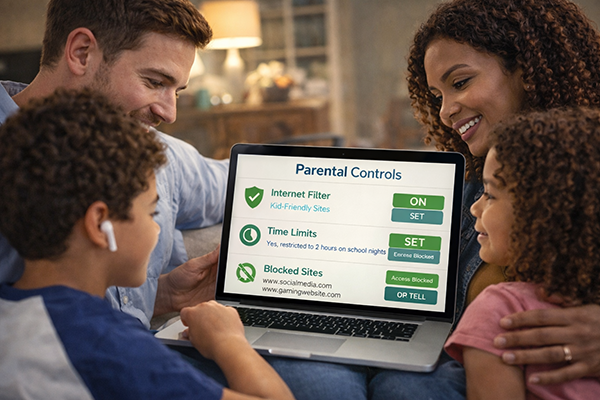
In today’s world, being online isn’t optional — it’s part of school, friendships, entertainment, and everyday life. From YouTube videos to gaming platforms to homework portals, kids are navigating digital spaces earlier than ever before. The goal isn’t to keep children offline. It’s to teach them how to move confidently and safely within it.
For families, online safety is less about fear and more about preparation. When parents lead with education, consistency, and open communication, kids develop digital awareness that lasts a lifetime.
Start With Conversation, Not Control
The foundation of online safety is trust. If kids fear punishment, they’re less likely to speak up when something goes wrong. Create a safe space for discussion.
Try questions like:
-
What apps are you using right now?
-
Who do you talk to online?
-
Has anyone ever made you uncomfortable online?
Make these conversations routine, not reactive. Think of digital safety like seat belts — it’s a normal part of life, not a special lecture.
Establish Clear Digital Rules
Children thrive on boundaries. Create simple, written family technology rules:
-
Devices stay in common areas.
-
No new apps without permission.
-
Parents know passwords (age-appropriate).
-
No sharing personal information.
Post your rules visibly. When kids help create them, they’re more likely to follow them.
Teach the “Personal Information” Rule
Kids often don’t realize what counts as personal information. Explain clearly that they should never share:
-
Full name
-
Address
-
School name
-
Phone number
-
Passwords
-
Photos without permission
Use real-world comparisons. Just as they wouldn’t tell a stranger their home address at a park, they shouldn’t share it online.
Use Parental Controls — But Don’t Rely on Them Alone
Parental controls are tools, not solutions. Use built-in controls on devices, streaming services, and gaming platforms. Filter content, manage screen time, and review downloads.
But remember: technology changes quickly. Education and communication are always more powerful than software.
Monitor Social Media Wisely
If your child is on social platforms:
-
Keep accounts private.
-
Review follower lists regularly.
-
Teach them to block and report users.
-
Remind them nothing online is ever truly deleted.
Explain digital footprints. Colleges, employers, and future partners may see what they post.
Talk About Cyberbullying
Cyberbullying can feel overwhelming because it follows kids home. Teach children to:
-
Screenshot evidence.
-
Avoid responding emotionally.
-
Tell a trusted adult immediately.
If your child is accused of bullying, address it seriously. Online words carry real emotional impact.
Gaming Safety
Online gaming introduces chat features and strangers. Set these boundaries:
-
No private messaging with strangers.
-
No sharing location or personal details.
-
Use voice chat only with known friends.
-
Keep gaming devices in visible spaces.
Teach Critical Thinking
Help kids recognize scams and misinformation:
-
Not everything online is true.
-
Don’t click suspicious links.
-
Be cautious of “free” prizes.
-
Verify information before sharing.
Ask: “Who created this? Why? Is it trying to sell something?”
Model Healthy Behavior
Children mirror adults. Avoid excessive scrolling during family time. Practice respectful communication online. Demonstrate strong password habits and privacy awareness.
Build Digital Resilience
Even with precautions, mistakes happen. Focus on teaching recovery skills:
-
Admit mistakes quickly.
-
Ask for help.
-
Learn and adjust.
Online safety isn’t about perfection — it’s about preparation.
Tools and Calculators Disclosure:
The information, content, tools, links, articles, calculators, and resources provided on this website are intended for educational and informational purposes only. They are designed to help individuals and families make informed financial decisions but should not be considered financial, legal, tax, investment, or professional advice.
While we strive to provide accurate and up-to-date information, we do not guarantee the completeness, accuracy, reliability, suitability, or availability of any content or third-party materials referenced on this site
Any links to third-party websites, products, services, or applications are provided as a convenience for educational purposes. These external resources are not owned, operated, controlled, endorsed, or guaranteed by the credit union unless explicitly stated as an official product or service offering. The credit union is not responsible for the content, security, availability, or privacy practices of external websites or third-party providers.